
What Is a URL? Where Is It Located?

A URL (Uniform Resource Locator) is the address used to access a resource on the internet. It tells your browser where to find something and how to retrieve it.
You can think of a URL like a home address for a website or file.
Where Is a URL Located?
A URL is found in the address bar at the top of your web browser (such as Google Chrome or Microsoft Edge).
What Does a URL Do?
A URL allows you to:
- Open websites
- View images and videos
- Download files
- Access online services
Without URLs, you would need to remember complex IP addresses instead of simple names like:
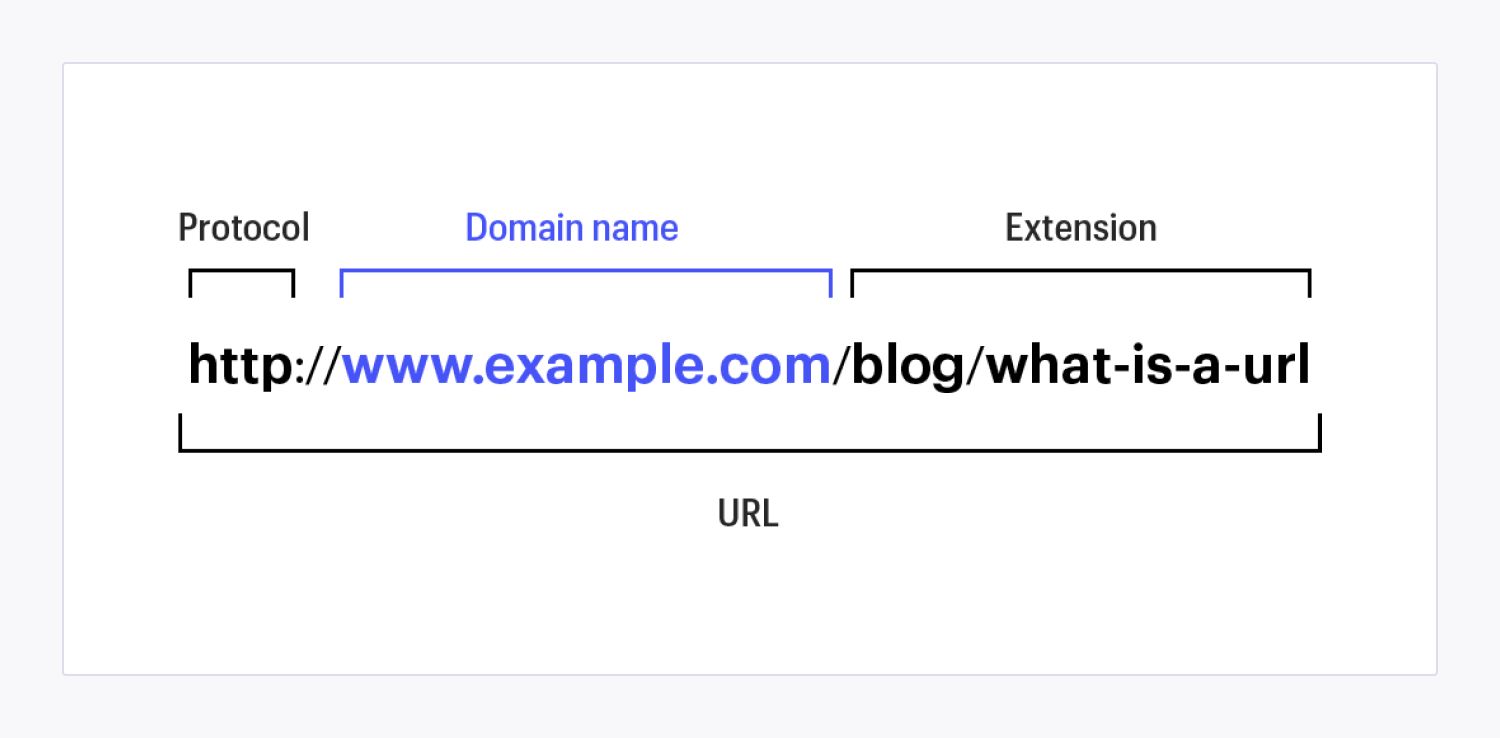
Main Components of a URL
A URL is made up of several parts:
1. Protocol (Scheme)
This tells the browser how to access the resource.
Examples:
http://(standard)https://(secure, encrypted)ftp://(file transfer)
Today, HTTPS is preferred because it keeps data secure.
2. Domain Name
This is the website’s name (e.g., google.com).
It has two parts:
- SLD (Second-Level Domain) →
google - TLD (Top-Level Domain) →
.com,.org,.net
3. Path
This directs the browser to a specific page or folder.
Example:
/blog/
4. File Name
This points to a specific file on the server.
Example:
logo.jpg
5. Query String (Optional)
Used to send data or parameters.
Example:
?q=search+term
6. Fragment (Optional)
Jumps to a specific section on a page.
Example:
#section1
Example of a Full URL
https://www.example.com/blog/article.html?q=seo#top
Breakdown:
https://→ Protocolwww.example.com→ Domain/blog/→ Patharticle.html→ File?q=seo→ Query#top→ Fragment
Why URLs Matter
- Help users find websites easily
- Improve SEO and search rankings
- Make links shareable and trackable
- Replace complex IP addresses with simple names
Simple Summary
A URL is:
- An internet address
- Located in your browser’s address bar
- Used to find and access online content